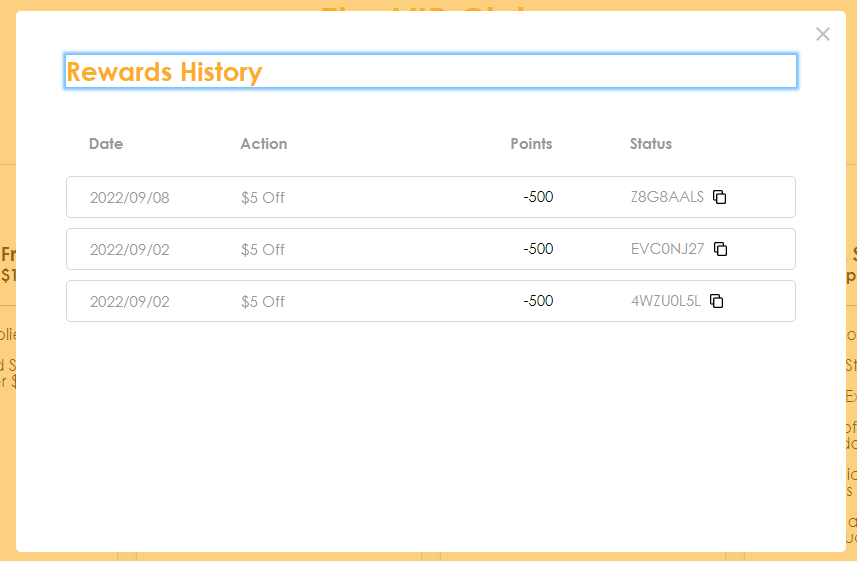
How do I access my Fenix-Store reward points?Updated 6 months ago
You can click here to go to the main rewards page. Once you have logged in you will see your Lumen Bucks balance. Scroll down a bit until you see this section which shows you how many points you have:
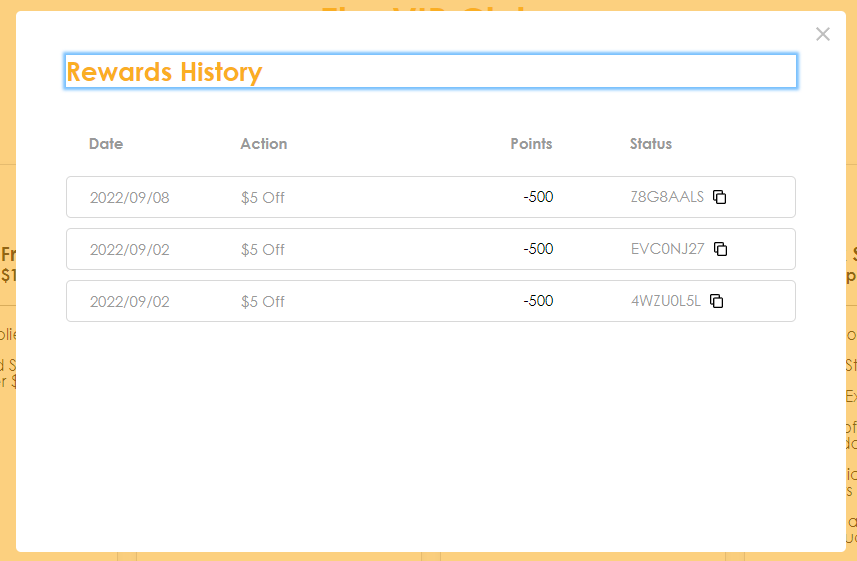
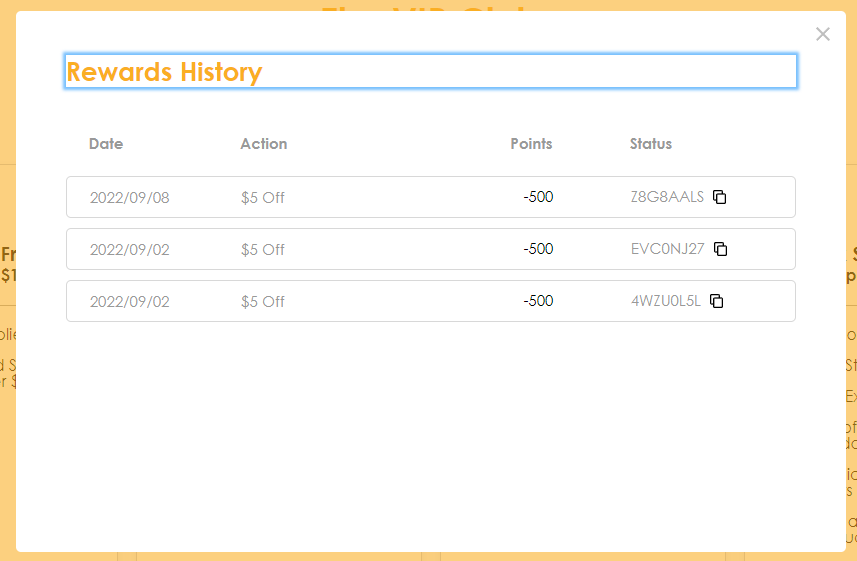
Click "Redeem Now" to be taken to the redemption section or click "Rewards History" to see your past redemptions, in case you redeemed a coupon but didn't use it!
Below you can see your redemption options:
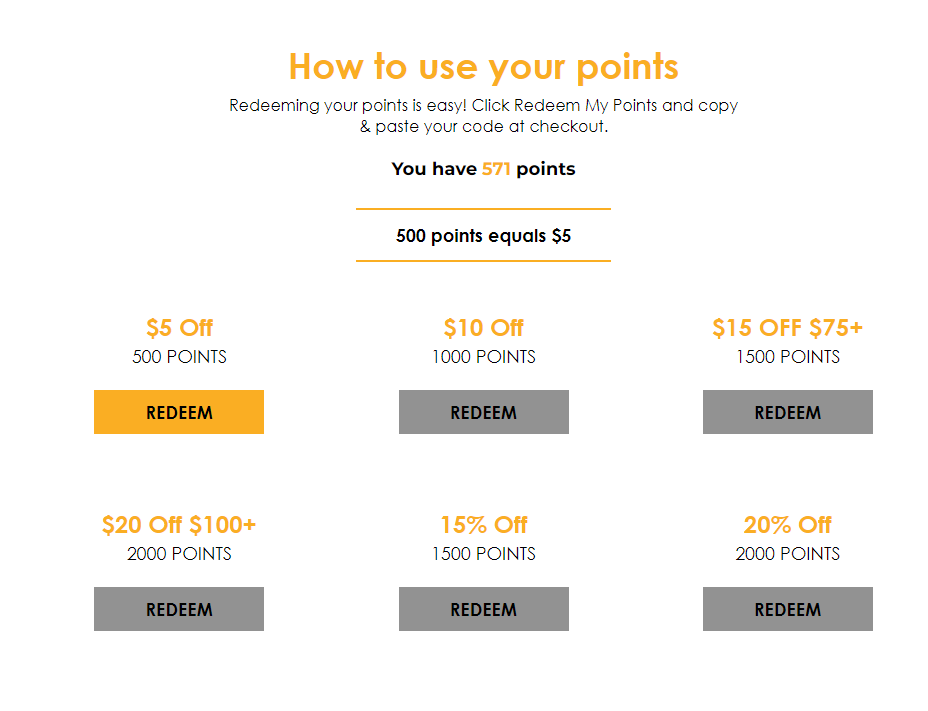
Rewards that are available to you are highlighted. Click "Redeem" then confirm "Yes" 
then copy the coupon code by clicking the two squares

If you lose your coupon don't forget that you can look at your "Rewards History" (see above) to find any coupons you've redeemed in the past: